> ## Documentation Index
> Fetch the complete documentation index at: https://docs.righthand.ai/llms.txt
> Use this file to discover all available pages before exploring further.
# Hiring Your First Righthand
> A step-by-step guide to hiring and onboarding your first AI employee
## Overview
Hiring a Righthand takes less than two minutes. You'll choose a role, pick a work schedule, assign a manager, and your new AI employee will be up and running — complete with their own name, email address, and phone number.
## Prerequisites
Before you begin, make sure you have:
* An active Righthand account with admin or manager access
* At least one team member to assign as the Righthand's manager
## Hiring Your Righthand
Navigate to the [Hire page](https://teams.righthand.ai/teams/hire) in the Righthand platform to begin the process.
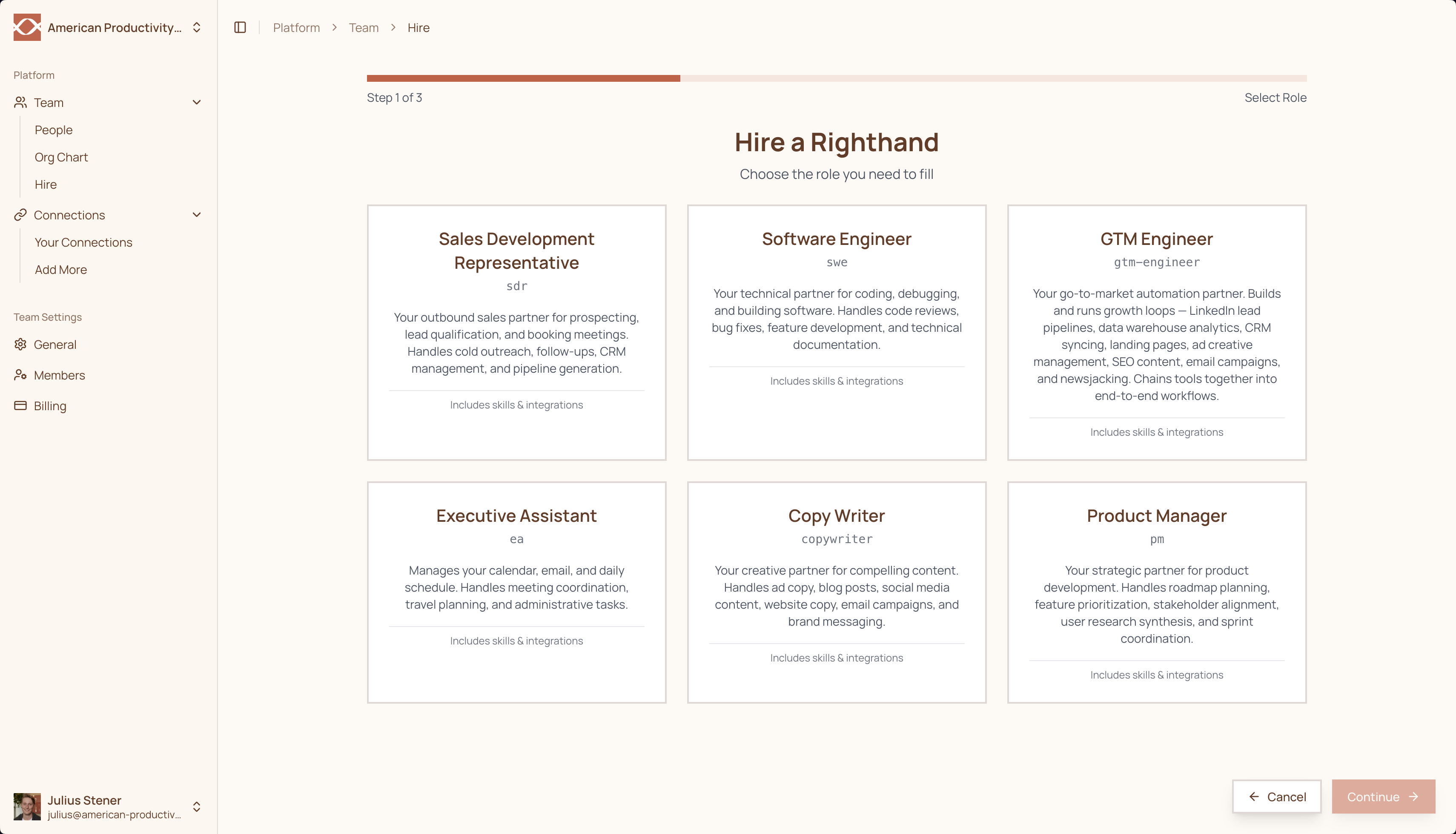
Select the role you'd like to hire for. Each role comes preconfigured with relevant skills and integrations tailored to the position — from Executive Assistant to Software Engineer and beyond.
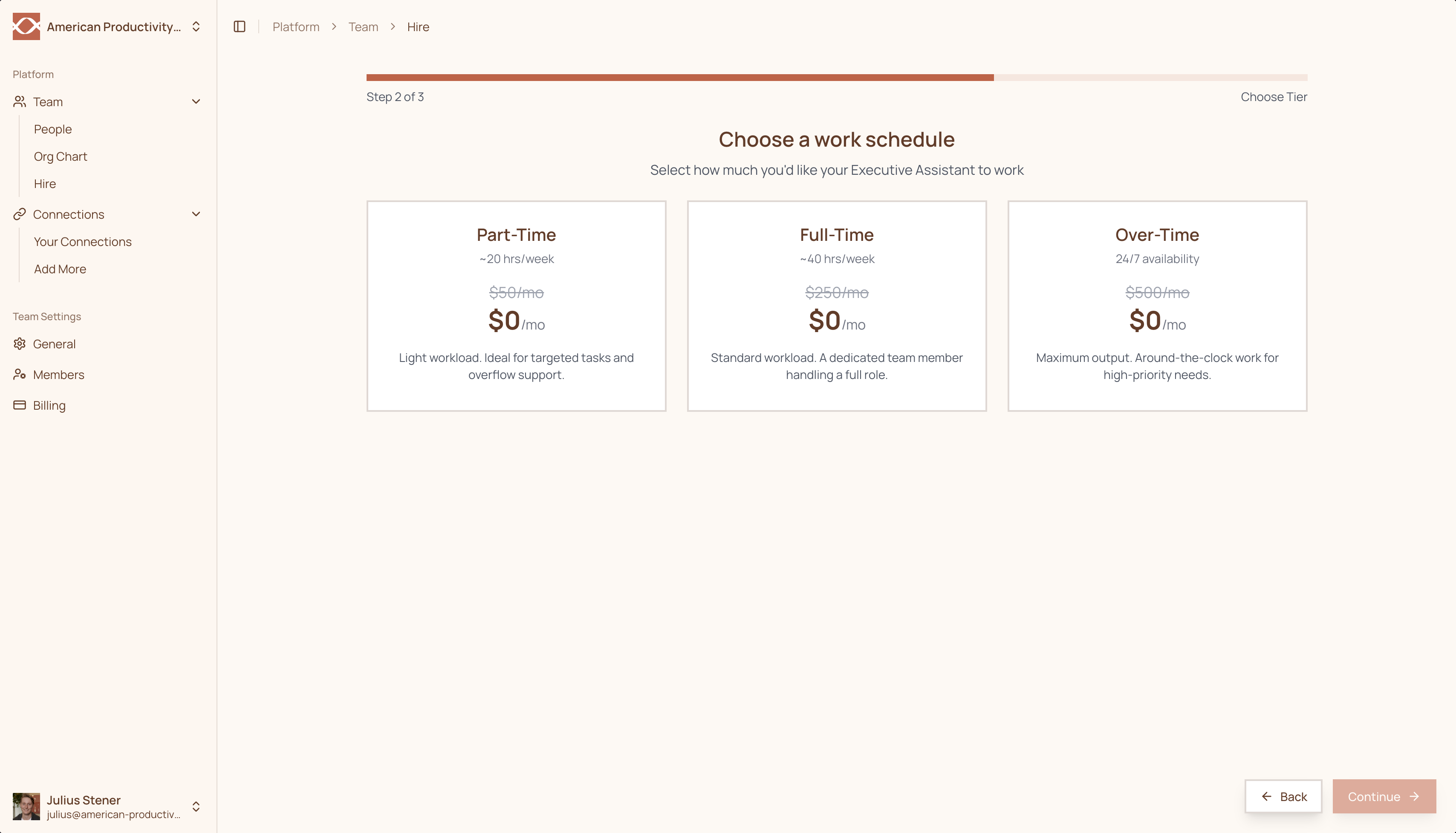
 Choose a pricing tier based on how much you need your Righthand to do:
* **Part-Time** — Best for targeted tasks and overflow support. Your Righthand responds when called upon.
* **Full-Time** — A dedicated team member that proactively handles their full role with enhanced intelligence.
* **Over-Time** — Maximum output with 24/7 availability, advanced reasoning, and priority processing for your most demanding workflows.
Choose a pricing tier based on how much you need your Righthand to do:
* **Part-Time** — Best for targeted tasks and overflow support. Your Righthand responds when called upon.
* **Full-Time** — A dedicated team member that proactively handles their full role with enhanced intelligence.
* **Over-Time** — Maximum output with 24/7 availability, advanced reasoning, and priority processing for your most demanding workflows.
 Select the team member(s) who will manage this Righthand — the first person selected becomes the primary manager. Then choose the email domain your Righthand will use for its email address.
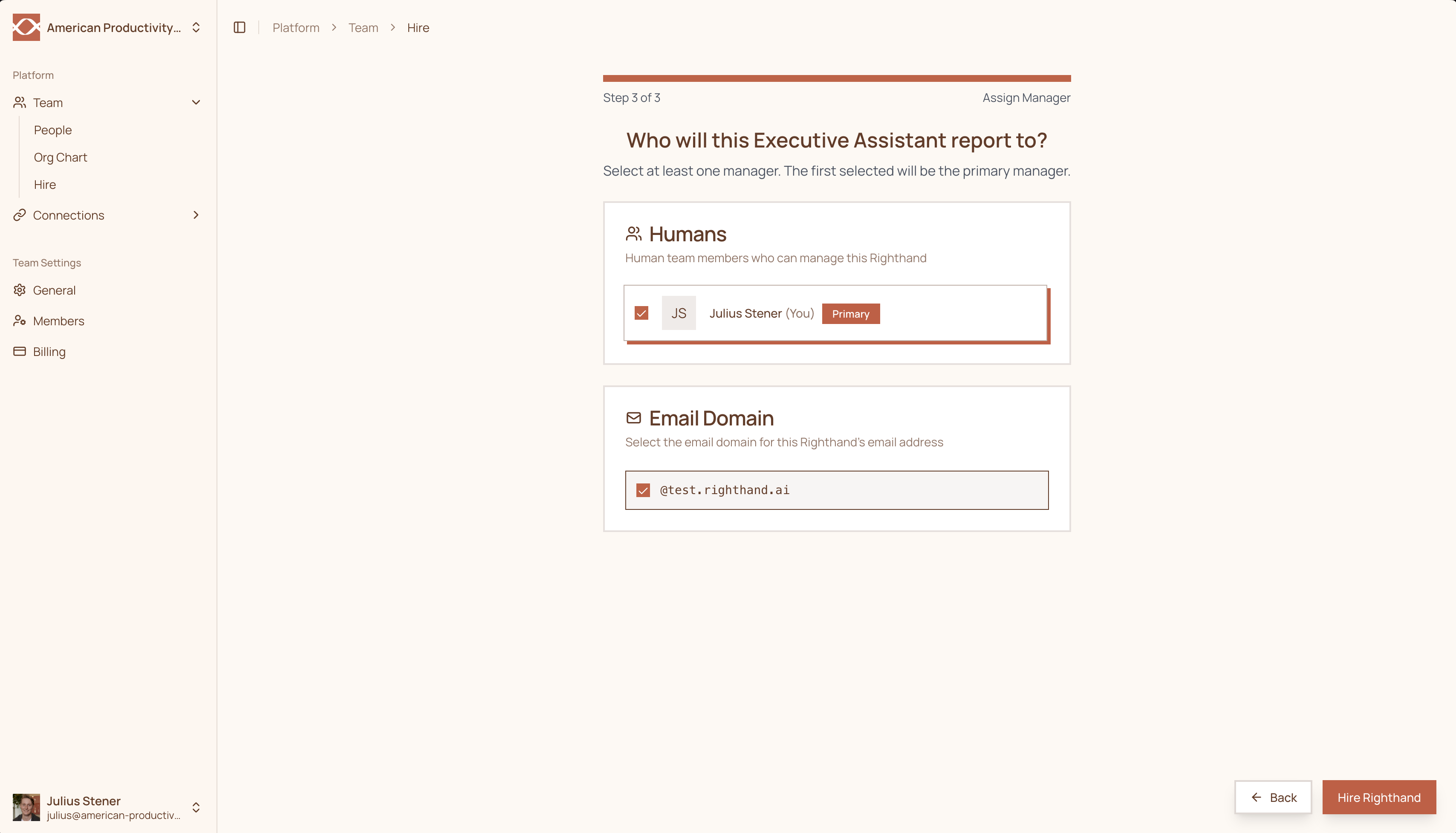 Click **Hire Righthand** and sit back. It takes less than a minute to provision your new AI employee.
Your Righthand will get set up and oriented on its own. Within 1–2 minutes, you'll receive a text message with their name, email address, and phone number. Once you receive it, they're ready to go.
Need help? Reach out to us at [support@humans.righthand.ai](mailto:support@humans.righthand.ai).
Click **Hire Righthand** and sit back. It takes less than a minute to provision your new AI employee.
Your Righthand will get set up and oriented on its own. Within 1–2 minutes, you'll receive a text message with their name, email address, and phone number. Once you receive it, they're ready to go.
Need help? Reach out to us at [support@humans.righthand.ai](mailto:support@humans.righthand.ai).